Showing posts with label project. Show all posts

ISTE 2011 HP EduInnovation

Subscribe to BrokenAirplane!

A couple of years ago, we received a grant from HP. In that time we have used the grant to make a magazine about the Otay Valley Regional Park, a virtual bike ride through the park, and a lot of collaboration across Elementary/Middle/High School Students. HP is looking for votes on what you think was the best use of their grant to see who they would fund again. Check out our video below and then follow the instructions to vote for us or anyone else. There's only one week left and it would ensure we are able to continue to provide amazing opportunities for the students.


Find out more about the contest here. 

To vote go to the EduInnovation channel on YouTube. Search "mind collisions" in the space on the right like you see in the picture on the right.


Then click on the thumbs up sign to vote. 


Thanks for helping! This grant made a lot of really cool learning happen and students had some wonderful experiences. We will be presenting the Virtual Bike Ride at ISTE 2011 and we would love to see you there!

Subscribe to BrokenAirplane for all of the relevant technology and education news/information. 

Festival del Sol: Students Exhibit Their Learning and Growth

Every year, our school has a school wide exhibition of learning called Festival del Sol (The Sun Festival). It is incredible because the creative potential of what students are capable of really shines through (pun intended). I think the teachers are always really exhausted because this is the time where we see the most growth in our students and it takes a lot of energy to help them through that. Watching them learn time management (some more than others) and work through conflicts and obstacles with their students is gratifying to see.

On your right, you'll see one a really cool example of project based learning. At this exhibition, people entered a seemingly normal restaurant and watch films about the dangers of intoxication and gambling only to be whispered the secret password "Gatsby sent me" and sent through a secret door behind a bookshelf. On the other side, you enter a speakeasy/casino where students teach probability by demonstrating how easy it is for the casino house to win overall. Meanwhile all of the students wear badges saying "ask me about the 1920s" and speak to you about the roaring 20s and what life is like during Gatsby's time. There is no question when you have left that students have learned.

How do students get to that level of creativity and capability? We do not get some special "gifted" student, we have the same student as any one else but we spend years unlocking their potential and creativity. Growth as a person is our highest metric of success and as we walk the halls from 9th to 12th grade, it is incredible to see that progression.

In the 10th grade you will see the student begin to step forward as a confident person, one interested in making decisions and creating. Changing the world is a common theme at this age, and it was evident tonight in the stories about Africa, and protesting the Vietnam War, sweatshops and so on. I love these playable miniature golf courses that filled up our entire auditorium and you could ask the students about the angles they designed in Geometry to determine the least possible amount of shots it would take to sink it in the cup.

I am totally biased about the 9th grade as that is what I teach but there is so much that happens this year. Imagine you are a student who enters our school, hearing the teachers talk about the Habits of the Heart and Mind and how we will are going to learn from these crazy projects. There is the added stress of finding one's identity and where that fits into their peer groups and how they can best fit into a culture. Festival del Sol is the moment where we see our 9th graders really transform and see what they can do.

The way I plan projects is I always see what college students are doing and think, "How can I have my freshman math and physics students do that?" For this year's big project I asked them to learn to program Arduino Microcontrollers. These are amazing devices that have so much open ended potential and they can be purchased for the same price as a dinner for a family of 4. I let the students search and come up with ideas and they did not disappoint. I kept hearing adults and students talk in the halls about this bear that could wave hi (see right).

The group of the left created a laser activated shooting gallery where LEDs lit up when the sensor was activated. There was a great electromagnet controlled catapult where the girl said she got to spend a whole day learning with her dad how to build in his shop; and another group who became experts at soldering but also learned what happens when you put your IC chips in backwards (it's not good). The learning goes way deeper than what can be measured by the standardized tests and it is truly a beautiful thing.

I have a great passion for women in STEM, in fact I actively pursue them to join Robotics and get into programming and the like. Women have a different way of looking at the world and to see their creativity and passion unlocked is wonderful. This project was a way for me to help students who would never think they could do what the robotics team does see their potential. There was an all girl group that took on a very ambitious project, worked hard at it and it did not work. Did that stop them? No way, they found a new project and worked at it with equal passion and created this incredible LED Dice.


Another all female group was intrigued by my statement when we started this project that one could make a video game with the Arduino. With no experience at all, they dove into the process of connecting an accelerometer to an animated monkey. I couldn't contain my delight when they told me of all of the young children and adults who got such a kick out of putting on the "Banana Hat" and making the monkey on the screen jump with it.

Another project played an 8-bit programmed version of Lady Gaga, another group made an electronic MIDI drum kit. Wall-E even made an appearance!

Even though these exhibitions take so much out of all of us, it is hard to imagine not having them. A science fair, a play, using the learning to benefit the community, the possibilities are endless and the payoff is huge. Check out BrokenAirplane's project resources for more ideas.

Thank goodness, the day after is clean up and then we take our Spring Break. We are exhausted and will use the time to recharge and spend some time with family and friends. I leave you with Marisol (one of our delightful and energetic Spanish teachers) wearing the Banana Hat and playing the Monkey Video Game.


Subscribe to BrokenAirplane and keep up with all of the latest education and technology resources!
Challenges of Engineering Project

Even with all of the resources I have for planning projects, sometimes the best ones come from just being in the right place at the right time. A couple of months ago, I took some students to the first National Science Fair in Washington DC and we had a great time seeing all of the universities and organizations who had shown up to renew the country's commitment to STEM.

One of my favorite exhibitions was with Disney/Imagineering and the National Institutes of Health. They were partnered to demonstrate innovation in one of the critical Challenges of Engineering that were produced by the National Academies of Engineering. Some examples are cyber security, solar energy, personalized learning, and 11 more.

When I came home, my humanities teaching partner mentioned to me that she would like to work on the technical writing skills of our students. An idea for a project was born and after some collaborating, we had decided that we would have the students create research paper/posters based upon the Challenges of Engineering.

This was a valuable project for many reasons:

  • It did help the students learn about these important topics that threaten the survival of our society as we know it. Students began with almost no knowledge of these topics and yet at the exhibition were able to impress community members we had invited with the depth and breadth of their knowledge.
  • Students worked diligently to research these topics using college level resources and understand it in a way that they could explain it to others.
  • This provided them an opportunity to create beautiful work through feedback and refinement.
  • We set a high standard of excellence, our model and criteria were based upon the same used for Graduate School work, but the students rose to meet our expectations. 
If you would like to see the finished posters the students made click here for the link.
The instructions, template, etc can be found here.

Water Rockets - Fun Physics Project

Almost every year that I have taught Physics, I have used the Water Rocket activity. They are relatively cheap and easy to build and launch and it never fails to inspire awe. Here are the instructions I created from experience and various sources (link).

I have used various water rocket launchers and they each have their drawbacks. This time, I bought the launcher from this site. It worked perfectly and never had an issue in hundreds of launches.

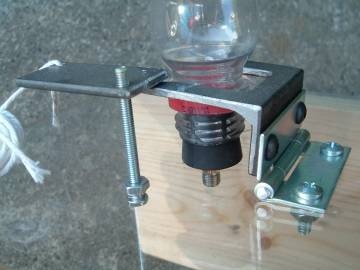
There are multiple options, you can either buy the launcher, buy a kit at a discounted price, or build it yourself for free. His customer service was awesome and to be willing to give the plans away for free is much appreciated to teachers not afraid to DIY.

As long as the students play by the safety rules, they are free to be as creative as they like. It is a great introduction or review for trigonometric functions and solving linear equations. Also students loved seeing a little cloud being formed by the pressure release after launching. Lots of great questions asked before, during, and after launch. Just a fun project all around.


Subscribe to BrokenAirplane!

Virtual Bike at the National Mall in Washington DC

After almost a year of preparation 4 of my students are bringing our virtual bike tour of the Otay Valley Regional Park to the first ever USA Science and Engineering Festival in Washington DC. How did this happen? Let me back up and tell you the story.

The incredible Lisa Davis approached me about participating in the HP Grant our school was receiving to encourage the implementation of technology in the classroom. Through this grant we received laptops and scientific sensors.

One of the organizations we were were connected to work with was Wildcoast and the Otay Valley Regional Park. Through our discussions, we learned that the largest obstacle the park was dealing with was obscurity. There are miles of beautiful trails and natural resources that much of the San Diego community is not aware of. So we decided our project would be to help make the community more aware of this park while encouraging the use of technology.

After some brainstorming and prototyping, the students developed a basic 15 second movie of what was possible. The video was created using Blender a free and open source 3D Rendering Software. I have embedded below the prototype video (which the students despise because they have learned and improved their skills so much since then). 


Wildcoast and HP were extremely happy with our idea and so we received the green light and funding to move forward. After months of work and learning along the way, the students refined their work significantly. The user sees the virtual park through Virtual Reality Googles we received through a sponsorship with Vuzix. With the built in accelerometer, it is possible to look around 360 degrees within the virtual park.

The bike was donated by REI, and while were unable to bring it with us for logistical reasons, it is quite an exciting experience to ride. Using force sensors from Sparkfun Electronics and the Arduino Microprocessor, the game is able to detect when the rider pushes on the pedals and moves them forward in around the park.

The final video file is huge and I am unable to show you a video inside the final version of the park, but here are screenshots, pictures of the students working, and pictures of people enjoying it at the USA Science and Engineering Festival.


I hope you will be able to stop by and say hi, this is a result of a lot of student (and teacher) effort and we are honored to be a part of such an exciting event. We will be located in National Mall 3 on 4th Street. Next week I will post pictures and a report about the other events and exhibits at the festival.


Subscribe to BrokenAirplane and keep up with all of the latest education and technology resources!


Project Foundry Empowers Students and Supports Teachers in Project Based Learning

It is really difficult once you have seen Project Based Learning in action to want to experience education in any other way. Students really enjoy hands-on-learning and the lessons last a lifetime. With that being said, Project Based Learning is exhausting. Students are working hard researching, creating, and learning by doing. Teachers are managing multiple groups and projects at once all the while planning the next one.

Project Foundry is the best solution I have seen for creating and managing projects. Praised by some of the best PBL schools in America, its open ended and easy to use interface makes it possible for students and educators to effectively communicate and collaborate on projects. A lot of educational management software is created by companies for whom their edtech is an oft neglected side product that provides a steady revenue. 

This is not the case with Project Foundry. From conversations I have had with Shane Krukowski, the Managing Director of Project Foundry, it is clear that this is more than a business. He and his colleagues are passionate about education reform and helping education to transform into what research and experience show to be authentic and meaningful learning experiences for all.

One fear when implementing a new technology is that it would diminish or degrade the student and teacher relationship. With Project Foundry, the goal is actually to encourage and increase effective communication and feedback between the two and it does it quite well.

There are two main roles in the software interface, the Student and the Mentor:

Students are considered the main driving forces at Project Foundry. It makes sense that if a student learns in their own way and in what they are passionate about, then they will be more motivated to learn and remember. Students learning process begins with a project proposal. The questions asked to help develop a project proposal are not only thorough but thought provoking,. I have seen students use this to create very well thought out projects because of the structure of the project proposal. 

The student also aligns their project to core content standards or any standards your school uses to determine proficiency. In order to receive a High School diploma, they will need to earn enough credits to graduate. Rather than a teacher attempting to create one project/assignment that fits everyone, each student (or group) can decide for themselves the best way to learn the concept and demonstrate their evidence of learning.

Once a project is created and approved by a mentor, the student journals/logs about their daily progress and builds a portfolio of evidence that they are completing the project. This culminates in a presentation or exhibition of their work and if it meets the agreed upon standard for completion, the student receives credit towards their diploma. Below is an example of the main student screen where they can track their progress in various projects simultaneously.


Mentors is the term which Project Foundry applies to educators because their role is to provide assist the student in completing their project. With so much information already on the Internet and in books, the idea that teachers must deliver content for students to learn it is outdated. Students are fully capable of learning from their surroundings as we all do naturally from the time we are born. The important thing is that the research and motivation comes from the student. When educators are mentors they are able to spend their time helping the student develop their own skills and habits as opposed to solely concerning themselves with the degree to which content is learned.

Mentors use Project Foundry to manage the projects their students are working on. Mentors review proposals, time logs, journals, evidence, to provide feedback, resources, and wisdom/guidance on the students path of discovery. All of the information is stored and managed in an easy to view way so to provide efficient and effective feedback to a large group of students. Below is a view of what a Mentor's portal would look like. 


There is also an Admin role which allows for even more customization to suit the needs of the learning environment. As Students complete projects and earn credits for their work, Project Foundry keeps track of it and automatically creates portfolios of learning and an official transcript.

Implementing Project Foundry:
There is no one right way to learn or educate and Project Foundry respects this principle by providing numerous ways to use it in your classroom/school to suit everyone's needs and goals. Some possible implementations are: 
  • Independent Projects - The Student fully creates the project and all aspects of the process and assessment. The Mentor provides feedback and support throughout this process.
  • Seminars - Teacher creates and guides the project. Project Foundry is used to disseminate information and assign roles within the project. Students use Project Foundry to log their time and work completed.
  • Thematic Common Projects - The Teacher creates a project template based around a theme or unit and students create their own project proposals. 
    • Our Physics department has used this in the past where students create their own videos on Forces, Newton's Laws, etc.
  • Capstone Project - Whether it be the end of a large unit or the final project of a student's high school career, Project Foundry provides the structure to support a long term project that demonstrates the students ability to apply their knowledge.
Project Foundry is a service to educators and students that has the power to free you from the copious amounts of data tracking and planning that is necessary with Project Based Learning. With that taken care of, you and your students are able to spend more time working together and learning. I encourage you to check out the benefits of Project Foundry and then try it out for yourself.

My school is broadening its use of Project Foundry over the next few months and I will update you on all of the exciting accomplishments. I am committed to the mission of the BrokenAirplane Blog, to promote technology and services that make it possible to for students to learn more effectively. Project Foundry does an incredible job of helping educators work with large numbers of students and projects and I would highly recommend you look at how your school would benefit from using it.

Math Project - Slope Art

I wanted to share out this project that I have done for 2 years now with great success. For me a project should ideally be: cheap enough that it can be done in any school, effective at teaching content, and encourages learning through the project itself.


The Slope Art project (examples above) meets all three requirements and provides an opportunity for students to learn some programming. Students have a lot of creativity in the designs and the project provides feedback to the student so they can learn and correct their work. The project is called the Slope Art project but it also teaches/reinforces Cartesian graphing, domain and range, slope intercept equation, manipulating variables, etc.

I have used the project in different ways with my 9th graders. Last year I gave them the template and had them write all the code for each line, the second year I had them develop the functions which makes the code a little cleaner but may take a little more time to understand.

This project could also be scaled down and created using string and nails in wood. You just wouldn't get the self-correcting feedback that you do from the Python.

I dedicate this project to Ms. Dairiki who first had me create a hyperbola with straight lines.

Slope Art 1.0 (with each line individually)
Slope Art 2.0 (with functions)

Some resources that helped inspire this:
https://scratch.mit.edu/projects/89023/
http://www.stringartfun.com/
http://www.mathcats.com/crafts/stringart.html

If you have any questions about the resources, the instructions, or the Python code let me know. I hope your students learn as much as mine do through this project. Enjoy!

Update: VPython (required for the Slope Art Project) now works with Python 3.0 so unless you have reasons to do so, I would highly recommend using Python 3.0.

Project Based Learning Resources


There is so much that can be said about project based learning. It provides a way for students to learn by doing and often a real world connection that makes learning relevant and interesting. The largest barriers to a successful project are inspiration, funding, and instructions about implementation.


I hope the following resources help to remove these barriers and help you implement some great projects that your students will love.


Getting Started with Project Based Learning
Work that Matters - The collected wisdom and best practices of project based learning.
Creating Beautiful Work - Such valuable insights. Learn from Ron Berger how students can create a culture of high standards and quality through peer feedback and refinement.


Inspiration for projects
BoingBoing - Eclectic collection of stories about culture. Updated often.
MythBusters - The infamous show that explores myths as well as the science behind them. Often useful to show when you are unable to recreate the situation.
Exploratorium - An incredible science museum in San Francisco which has an interactive website full of great demonstrations.
Hack-a-Day - Electronics projects and inventions. Useful and fun.
Magatopia, Magazine Directory, Online Magazines, Online Newspapers - There are magazines about every topic imaginable. Many of them provide free online content.
Ted Talks - Speakers from around the world on a wide variety of topics speak about their passions. Very often you and your students will leave this videos crying and inspired.
Tinkering School - The obsession with "safety" is preventing children from learning fun and important skills. This camp provides 10 year olds with power tools and helps them to create incredible projects and opportunities for learning.
Wired - Stay up to date with the cutting edge information regarding Science, Medicine, Technology, and more.


Resources
Kickstarter - A novel new way of generating funding. You provide the information about the project and the amount you need. People from all over the world can make "micro" payments to help you raise hundreds or thousands of dollars. Lots of projects of all kinds have been funded and yours can too.
American Science and Surplus - A way to obtain scientific and various equipment at the cheapest possible price.


Instructions (browsing these are also a source of inspiration)
Craft Magazine, Make Magazine - I highly encourage you to get the daily newsletter from either of these. 
Instructables - A community built repository of free instructions on everything from food to computers. I highly encourage you to read the comments as there is helpful feedback and ideas about how to improve. 
MIT Machine Shop Videos - Extremely helpful if would like to become more knowledgeable about the tools and practices you will find in a shop with expensive and potentially dangerous tools.